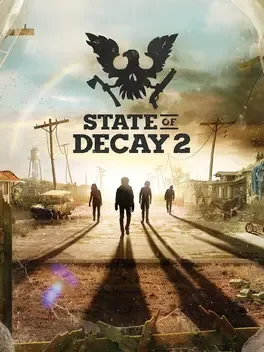
State of Decay 2
is an open-world survival-fantasy game set just after the zombie apocalypse. Your small community of survivors seeks to rebuild a corner of civilization, and you get to make all the decisions about how that happens.
You decide who to recruit to your team, where to settle your community, how to fortify and upgrade your base, and when it’s time to move to greener pastures. You select which survivor to bring along on a scavenging run for the food and ammo you need, and who you’ll use to fight off the zombies attacking your base. You choose how you’ll deal with other people who move into your town. Will you be friendly and welcoming... or will you aggressively defend your territory?
Every player’s experience in the sandbox is unique. Each character in your community has their own special set of skills and traits, so no two communities are ever the same. The challenges you face also vary from game to game, based on who you recruit and the decisions you make along the way.
With co-op multiplayer support, you can visit your friends' communities and help them through a tough spot, bringing back rewards for your own communities later. Alternate game modes include a full 10-hour narrative campaign and a four-player zombie-slaughtering "siege defense" mode.
Undead Labs is proud to present our best-ever vision of the zombie apocalypse. Keep your eyes peeled and your weapons ready. This is one apocalypse you won't want to miss.
ACCESSIBILITY OPTIONS
Gameplay
Adjustable difficulty can be set to ‘Green’, ‘Standard’, ‘Dread’, ‘Nightmare’, or ‘Lethal’, and can be adjusted separately each for ‘Action’, ‘Community’, and ‘Maps’
Adjustable aim assist, allowing the character to automatically lock on to the nearest enemy, can be set to ‘None’, ‘Normal’, or ‘Maximum’
Game can be paused in single-player mode (pause is unavailable in multiplayer)
Audio
Volume controls can be adjusted for Music, Voice, and SFX audio
Adjustable audio output can be set to Surround, Stereo, Headphones or TV
Visual
Subtitles for spoken content can be set to On or Off
Subtitle text size can be scaled to 50%, 75%, 100%, 125%, or 150%
Gamma levels can be adjusted to increase or decrease in-game brightness, and is available prior to game start
Field of view can be adjusted between 40% and 100%
Motion blur can be set to Off, Low, or High
‘Reduce auto-camera movement’ can be set to On or Off
HUD UI visibility can be set to On or Off
In-World Objective Icon visibility can be set to On or Off
UI prompts for Finisher Moves on zombies can be set to On or Off
Mini-map visibility can be set to On or Off
Mini-map rotation lock can be set to On or Off
Tooltip visibility can be set to On or Off
Notifications can be set to On or Off
Input
Input remapping for keyboard & mouse, and most controller buttons*
Controller vibration can be set to On or Off
‘Auto Camera Tracking on Foot’ can be set to On or Off
‘Auto Camera Tracking in Vehicle’ can be set to On or Off
‘Use camera to target interactions’ can be set to ‘Never’, ‘Always’, or ‘Only when using mouse’
‘Aim on Movement Stick’ can be set to On or Off
‘Rapid Button Tap’ can be replaced with ‘Hold Button Down’
‘Hold to Aim’ can be replaced with ‘Aim Toggle’
‘Remember Aim Zoom Level’ can be set to On or Off
Reduce Auto Camera Movement can be set to On or Off
Adjustable sensitivity for camera movement and weapon aiming for controller joystick and mouse
Ability to invert camera X and Y axes for controller joystick and mouse
Ability to swap left and right controller joystick functionality
*For Xbox controllers: the right stick, ‘view’, and ‘menu’ buttons are not remappable. To move your character while also aiming a weapon, a mouse or controller joystick stick is required – this cannot be done with a keyboard only.
 Steam
Steam Metacritic